Home>Running Paths & Locations>Running Clubs>How Running Coaches Can Use AI to Manage a Packed Email Inbox
Running Clubs
How Running Coaches Can Use AI to Manage a Packed Email Inbox
Modified: August 10, 2026
Running coaches overwhelmed by athlete emails can use AI tools to triage, reply, and capture post-run notes faster, freeing more time for actual coaching.
(Many of the links in this article redirect to a specific reviewed product. Your purchase of these products through affiliate links helps to generate commission for Therunningadvisor.com, at no extra cost. Learn more)
Running a group of athletes is equal parts motivation, strategy, and logistics. But somewhere between designing training plans and showing up at 6 a.m. track sessions, a coach’s inbox quietly becomes a second job. Athlete questions pile up. Scheduling threads spiral into chaos. And by the time you have answered the fifteenth message about next Saturday’s long run, you have spent an hour you did not have.
Key Takeaways:
– High-volume athlete inboxes can be automatically sorted and prioritized using AI triage tools, cutting the time spent just figuring out what needs attention.
– AI reply generators help coaches write accurate, personalized responses to common training questions without starting from scratch each time.
– Post-session debrief decisions can be captured and structured automatically, keeping race-day logistics from getting lost.
– AI handles repetitive communication work so coaches can redirect energy toward the athletes standing in front of them.
– These tools are practical and require no technical setup or complex workflow overhaul to start using today.
Why Running Coaches Are Drowning in Email
Coaching is communication-heavy by nature. Research on coaching practice confirms that building trust and performance requires ongoing, personalized interaction, and for most modern coaches, that interaction happens primarily through digital channels.
The average recreational running club coordinator might field questions from 40 to 80 members on any given week. Add in a few competitive athletes asking for feedback on their tempo splits, a couple of parents asking about junior programs, and a flood of replies to the group-run notification you sent out, and the inbox is already full before lunch.
The problem is not just volume. It is the nature of the messages. Running-related emails tend to be detailed and personal. Athletes want specific answers. They want to know if their calf tightness warrants a rest day. They want to understand why their training plan has a step-back week. They want confirmation that Sunday’s run is still on despite the weather forecast. Each one deserves a thoughtful reply, and writing thirty thoughtful replies every day is not a sustainable use of coaching time.
Sorting the Flood Before It Buries You
Before a coach can respond to anything, they need to know what actually requires their attention. This is where triage becomes critical, and where AI-powered tools offer a genuine advantage.
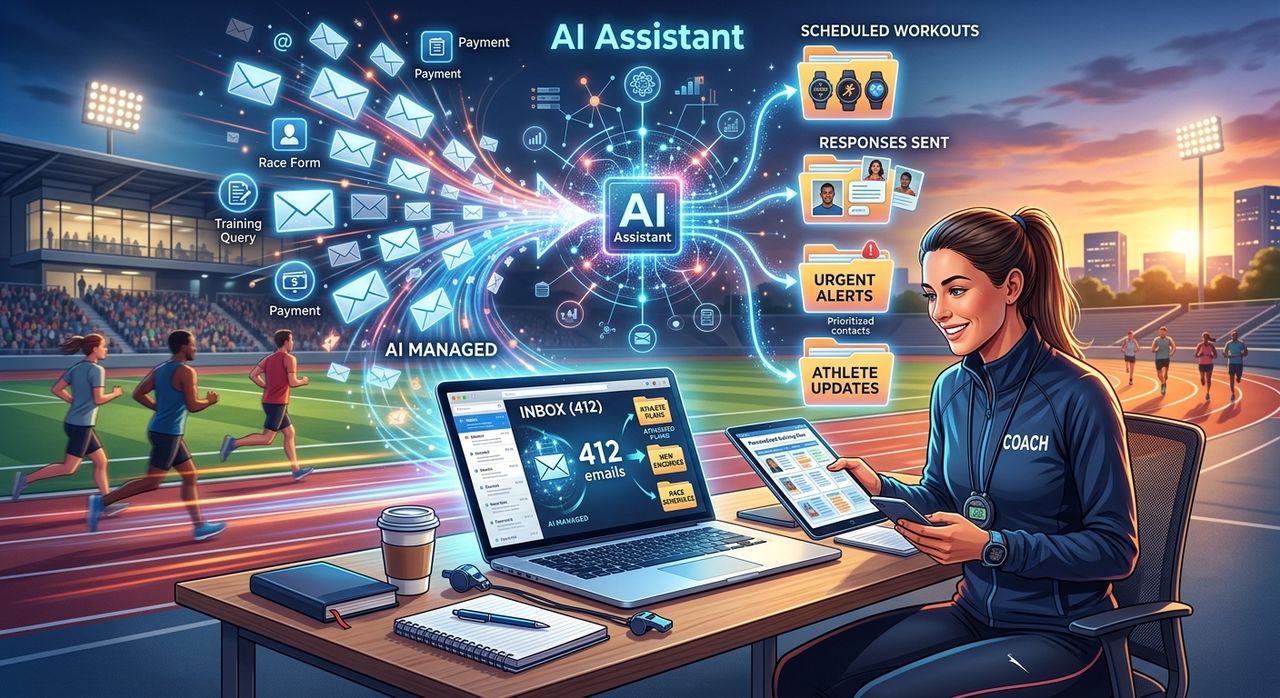
An inbox organizer works as an automatic sorting layer. Instead of opening your email to a flat, undifferentiated wall of messages, the tool reads, categorizes, and prioritizes incoming threads based on content and urgency. A message about a scheduling conflict gets flagged differently from a message asking about race nutrition. A reply from a race organizer about bib pickup moves to the top. Casual check-ins from athletes who just want to share a post-run high get grouped so you can acknowledge them in bulk.
For club coordinators managing group-run logistics, this kind of automated sorting is genuinely transformative. You stop spending the first twenty minutes of your day just figuring out what needs your attention. The tool does that work for you, and you arrive at your actual coaching tasks with energy intact rather than already depleted.
This matters more than it sounds. Cognitive load is real. Every small decision about which email to open and how urgent it is chips away at the mental bandwidth you need for the technical, relational work of actual coaching. Removing that decision layer is not a small quality-of-life upgrade. It is a meaningful shift in how your working day feels.
Answering Training Questions Without Staring at a Blank Screen
Once you know which emails need replies, the second problem arrives: actually writing those replies. For coaches who answer the same categories of questions every week, this can feel like Groundhog Day. “Is this pain normal?” “Should I run through fatigue?” “How do I pace a 10K?” The questions vary in detail but cluster around familiar themes, and writing a fresh, helpful response to each one takes real mental effort.
An email reply generator removes the blank-page problem entirely. You provide context about the athlete’s situation and the question they asked, and the tool produces a complete draft in seconds. You read it, adjust any specifics, add your personal coaching voice where it matters, and send. The heavy lifting of sentence construction and structure is already done.
This approach is not about replacing your expertise with a generic answer. It is about channeling that expertise into a faster workflow. A coach who used to spend 90 minutes on email correspondence can get through the same volume in 30 minutes when editing drafts rather than writing from scratch. That extra hour goes back into training plan design, athlete check-ins, or simply being well-rested before an early morning session.
The quality stays high because you are still in the loop on every reply. The AI drafts, you review, and you send. The voice is yours. The accuracy is yours. The time savings, though, are real.
Group Run Scheduling and the Thread That Never Ends
Anyone who has ever tried to coordinate a group run over email knows the particular chaos that unfolds. One message turns into 40 replies. People reply to the wrong thread. Someone changes their mind three times. A route gets updated but not everyone sees the new message.
Coaches often try to get ahead of this by sending detailed, well-organized scheduling emails. But even the best-organized thread generates replies that need managing. Using a combination of triage and templated responses, coaches can handle scheduling threads much more efficiently. The triage layer groups related messages automatically. The reply tool helps draft concise confirmations, route updates, or changes of plan without rewriting the same information five times for five different people.
According to research on email communication patterns, the average knowledge worker spends over two hours per day managing their inbox. For coaches who already balance training design, athlete welfare, club administration, and their own running, trimming that number down is not a luxury, it is a necessity.
Capturing Post-Run Decisions Before They Disappear
The debrief after a long run or group session is often where the most important decisions happen. Someone raises a concern about the course for next month’s race. A coach makes a call about moving an interval session to avoid a busy trail. A new athlete gets assigned a training plan modification. These are consequential decisions, and they almost never get written down properly.
By the time the coach gets home, showers, and opens their laptop, the specifics are fuzzy. Did they say to push the interval session to Wednesday or Thursday? Was the course change confirmed or just suggested? Who was supposed to contact the race venue about the parking situation?
Using a structured meeting notes tool solves this in a way that feels almost frictionless once you are in the habit. You feed in a quick voice memo or a rough summary of the debrief, and the tool organizes it into a clear, actionable record. Decision points get separated from discussion. Action items are listed. Follow-ups are flagged. You have a written record you can refer back to, share with a club administrator, or use to draft a recap email to the whole group.
For coaches managing athletes across multiple training groups, this kind of documentation also creates accountability. Everyone knows what was decided. Nothing falls through the cracks because one person assumed someone else was tracking it. The record exists, it is organized, and it takes a fraction of the time a handwritten debrief summary would.
Fitting AI Into a Coaching Workflow Without Adding Friction
One concern coaches sometimes raise is that adding new tools will create more complexity rather than less. That is a fair concern. The last thing a busy coach needs is another platform to log into, another account to manage, and another set of notifications demanding attention.
The good news is that AI communication tools have gotten simple enough to use on the fly. You do not need to integrate them into your existing system or redesign your workflow from the ground up. You open a browser tab, paste in a message or a few bullet points of context, and get an output you can use immediately. There is no lengthy setup, no workflow redesign, and no learning curve that takes weeks to climb.
The practical adoption path for most coaches starts small. Pick one category of email that frustrates you most. Maybe it is the training questions that arrive in batches on Monday mornings. Maybe it is scheduling coordination for weekend long runs. Use the AI tool for just that category for a week. Notice how much time you get back. Then decide whether to expand from there.
The coaches who get the most out of these tools are the ones who treat them as a working part of their communication routine rather than a novelty they try once and forget. Consistency matters here, just as it does in training.
Your Inbox Should Work for You, Not Against You
Running coaches choose this work because they love the sport and the people in it. They want to be on the track, on the trail, and in genuine conversation with athletes who are working toward something meaningful. They did not sign up to spend half their professional life in an email thread about whether Sunday’s run is at 7 or 7:30.
AI tools do not change what coaching is. They change how much of it you can actually do. When the communication overhead gets lighter, the coaching work gets more room to breathe. You show up to sessions with more energy. You give athletes more considered feedback. You have the capacity to take on more members or plan more ambitious club events.
The inbox does not have to be the thing that wears you down at the end of every day. With the right triage sorting your threads automatically, the right drafting support cutting your reply time in half, and structured note capture keeping your post-run decisions intact, it becomes a manageable part of the job instead of the part that expands to fill every available hour.
Your athletes are out there, waiting for the coach who shows up fully present. Get out of the inbox and back to the work that actually matters.